
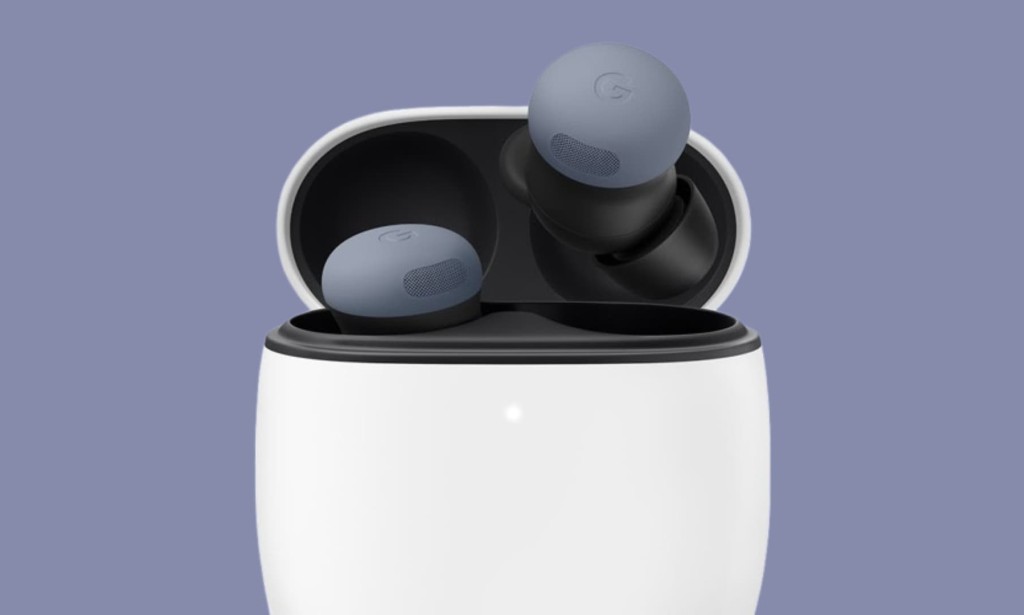
Google has begun pushing a new software update to both the Pixel Buds Pro 2 and the Pixel Buds 2a. The update, labeled release_5.203, began rolling out on June 2, 2026; however, it is not yet available to all users simultaneously.
If your earbuds haven't received it yet, the update is expected Google is conducting a rollout, which means it may take a few more days before the update reaches everyone.
What's in the Pixel Buds Pro 2 and Pixel Buds 2a Update?
The official release notes for release_5.203 mention "general bug fixes and improvements" with no additional details beyond that. Google has not specified which bugs were addressed or what performance aspects were improved.
This kind of minor maintenance update is fairly common for Google's earbuds lineup and typically aims to improve overall stability, connectivity, or audio processing in the background without introducing visible new features.
A Slightly Unusual Rollout
The announcement for this Pixel Buds Pro 2 update has had a somewhat unusual journey. Google initially posted the community announcement on May 27, 2026, before quietly removing it. The release notes were then republished on June 2, 2026, with the same version number release_5.203 unchanged. No explanation was provided for the temporary removal.
Recap: What the Last Major Update Brought
To put this latest update in context, the previous significant Pixel Buds Pro 2 firmware update version 4.467 was a Feature Drop released in September 2025. That was a much bigger release and introduced several notable additions:
Adaptive Audio alongside Noise Cancellation and Transparency allows the earbuds to blend ANC and ambient sound automatically depending on the environment, rather than switching between the two manually.
Loud Noise Protection a feature specifically designed to detect and lower the volume of sudden, disruptive sounds like sirens and construction noise, protecting your hearing in unpredictable urban environments.
Head Gestures enable users to answer or decline incoming calls and even send text messages using head movements, without needing to touch the earbuds or pick up the phone.
Gemini Live voice prioritization allows Gemini Live to better isolate the user's voice from background noise during AI-powered conversations, making hands-free interaction more reliable in noisy settings.
The June 2026 release_5.203 update is clearly a smaller, maintenance-focused release compared to that September 2025 Feature Drop, but keeping firmware up to date is always recommended for optimal performance and stability.
How to Install the Pixel Buds Pro 2 and Pixel Buds 2a Update
Getting the latest firmware on your earbuds is straightforward. There are two ways to do it:
On Android via the Pixel Buds App
Open the Pixel Buds app on your Android phone, go to More settings, then tap Firmware update. From there you can check whether the update is available for your device and begin the installation.
On Desktop Web
You can also visit mypixelbuds.google.com from any desktop browser to manage updates.
Automatic Updates
If you'd prefer not to check manually, you can turn on Automatic Updates in the Pixel Buds app. When enabled, the app will download and install new firmware versions automatically as they become available.
Manual Updates
If you want more control, navigate to More settings > Firmware update, then choose Check for updates or Manually initiate an update to start the process yourself.
Should You Update?
Even though release_5.203 doesn't come with an exciting new feature list, installing bug fix updates is generally good practice. These releases often address connection stability issues, audio inconsistencies, or battery drain behaviors that users may not even notice until after the fix is applied. If the update is showing as available on your device, it's worth installing.

You must be logged in to post a comment.