
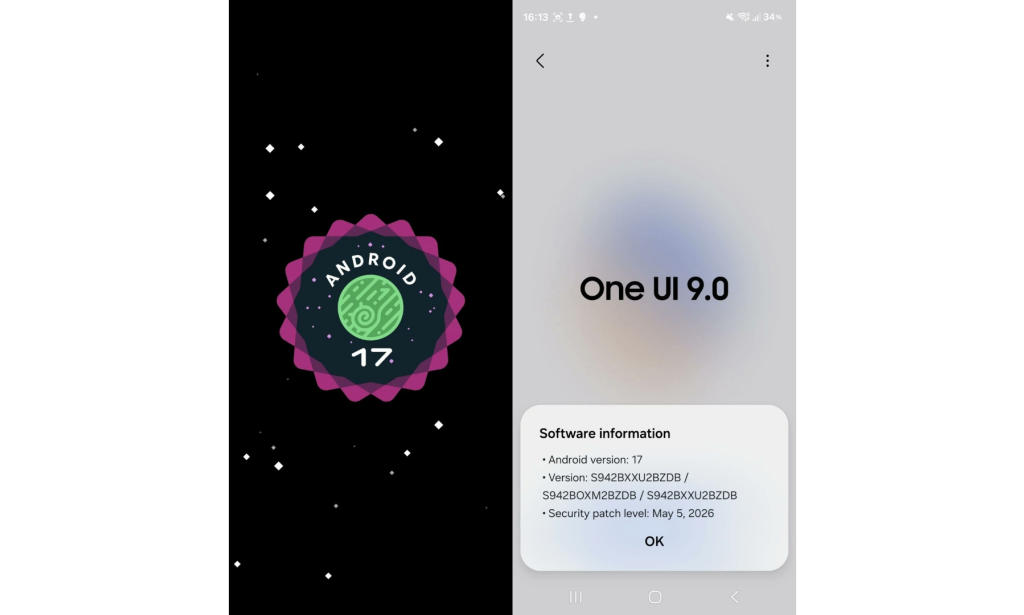
Samsung is preparing One UI 9, its Android 17-based update, and based on everything visible in the beta so far, it will arrive with the smallest feature set of any major One UI release in recent memory. That observation is not a criticism it is actually a deliberate strategy that makes a lot of sense given what came immediately before it.
Why One UI 9 Feels Lighter Than Usual
One UI 8.5 was one of the most feature-dense mid-cycle updates Samsung has ever released. It arrived with a redesigned Quick Panel, new Galaxy AI tools including Call Screening and Advanced Audio Eraser, cross-platform Quick Share with Apple devices, lock screen customization, a pollen index, a time zone converter, table support in Samsung Notes, Theft Protection, and a visual overhaul across the entire interface. By the time One UI 8.5 finished rolling out, Samsung had effectively front-loaded most of the major changes that would typically be spread across a full major version release.
One UI 9, by design, does not need to do as much. The visual foundation is already updated. The AI feature set has already been expanded. What remains is refinement, polish, and platform-level improvements that come with Android 17 itself.
What One UI 9 Actually Changes
The most visible change in One UI 9 so far is in the Settings app and system-wide UI cleanup. Samsung has removed unnecessary descriptive text from inside feature background cards and moved it below, giving the interface a cleaner, less cluttered appearance. The unused space at the top of menu pages has been reduced, and the gap between menu titles and content has been tightened. The overall result is a UI that feels more organized and easier to navigate than One UI 8.5, even though the changes are subtle.
The Status bar has been updated with slightly larger icons and bolder text, with a sharper black and white color palette compared to the faded tones in One UI 8.5. The time display is taller and the font appears to have been adjusted, though Samsung has not officially confirmed a font change.
The lock screen media player has been enhanced with colorful waveform animations that respond to the rhythm of whatever is playing. The expanded media player card shows dynamic visuals that change based on the audio being played. The Now Bar also receives the waveform upgrade, making the lock screen feel more alive during music playback. The bottom card has been removed from the lock screen layout for a cleaner overall appearance.
The Quick Panel brightness and volume sliders are now thicker, and the lock screen media player label has been changed from "Media Output" to "This Phone" for audio device selection a small but clearer label.
Parental Controls have been moved to their own dedicated section in Settings, separate from Digital Wellbeing where they previously lived. This makes them easier to find for parents who manage screen time and content restrictions on family devices.
One UI 9 requires a PIN to power off or restart the device a security enhancement that prevents a thief from simply turning off a stolen Galaxy phone to avoid tracking. The implementation is straightforward and adds a meaningful layer of protection without complicating normal use.
Notification Rules is a new addition that lets users create custom notification behaviors for specific apps or individual contacts. You can silence, bundle, highlight, or block notifications automatically based on rules you define, including contact-level control — meaning you can mute one person in a messaging app without silencing the entire app for everyone else.
The Clock app gets a cleaner Alarm screen with larger text, a bigger Dismiss button, and tidier snooze controls grouped into a single container. A new Driving Insights feature generates AI-powered weekly summaries of driving behavior acceleration, braking, sharp turns, and trip history using the phone's sensors and GPS data. It is expected to activate automatically when the phone connects to a car via Bluetooth and surface summaries through Now Brief.
On the platform level, One UI 9 adds support for Memory Tagging Extension, a hardware-level security feature built into newer ARM processors that helps protect against memory-related vulnerabilities. Floating app bubbles can now be triggered from any app, expanding the multitasking system that Samsung has offered for years. Apps are also better constrained from locking to specific orientations or aspect ratios, which benefits large-screen Galaxy devices and foldables in particular.
Galaxy AI Live Translate 2.0 is the most significant Galaxy AI addition in One UI 9. The feature runs real-time two-way translation during phone calls on supported hardware without routing audio through the cloud, expanding the language list and improving response latency compared to the version that launched with the Galaxy S24.
What One UI 9 Does Not Change
Samsung has made a deliberate decision not to adopt Google's Material 3 Expressive design language that ships with Android 17 on Pixel phones. One UI 9 uses its own animation curves, corner radius values, and color theming system meaning the underlying Android version is the same between a Pixel 10 and a Galaxy S26, but the daily experience is significantly different. For Galaxy users, this consistency with One UI's own design language is the norm and not a surprise.
No sweeping camera app changes, no new major Galaxy AI categories, and no fundamental redesign of the home screen or app drawer are present in the current beta. That absence is intentional. One UI 9 is positioned as a stability and refinement release that builds on One UI 8.5's foundations rather than replacing them.
When Is One UI 9 Coming
Samsung opened the One UI 9 beta program on May 13, 2026 for the Galaxy S26 series in the United States, United Kingdom, Germany, Poland, South Korea, and India. Beta 2 arrived on May 26, adding India and Poland while fixing bugs from Beta 1. The stable release is expected in July 2026, most likely launching alongside the Galaxy Z Fold 8 and Galaxy Z Flip 8 at Galaxy Unpacked in London on July 22.

You must be logged in to post a comment.