
Most people have used a privacy screen protector at some point. You stick it on, the screen gets darker, colors look washed out, and anyone looking from the side sees nothing but neither do you, really, unless the lighting is perfect. It has always been a compromise: you trade display quality for privacy. Samsung has been working on a different approach for five years, and the Galaxy S26 Ultra is the first phone to ship with the result.
What Privacy Display Actually Is
Privacy Display on the Galaxy S26 Ultra is a hardware-level feature built directly into the display panel itself. It does not use a physical filter or a software trick to darken the screen. It works at the pixel level, controlling how light is emitted from the display in real time. The technology is called Flex Magic Pixel, and it is what makes the entire system possible.
How Flex Magic Pixel Works
The Galaxy S26 Ultra's OLED panel contains two types of pixels: Narrow and Wide. Wide pixels disperse light across a broad range of angles this is what you see during normal everyday use, where the screen looks clear and bright whether you are looking at it head-on or from a slight angle. Narrow pixels emit light in a much more focused, forward-facing direction.
When Privacy Display is off, both pixel types are fully active together. Anyone nearby at a reasonable angle can see your screen clearly.
When Privacy Display is turned on, the display shifts its behavior. The narrow pixels take priority and emit light straight ahead toward the person holding the phone. The wide pixels are simultaneously reduced to a minimal level. The result is that the screen remains completely clear, bright, and accurate in color for you the person looking directly at it while someone looking from the side sees very little. The content becomes essentially unreadable from side angles without any visible degradation in quality for the primary viewer.
Samsung also includes a Maximum Privacy Protection mode that takes this further. In this mode, additional steps are applied to reduce side visibility even more aggressively. It works in both portrait and landscape orientations, so rotating your phone to watch video or use an app in landscape does not disable the protection.
Why This Is Different From a Privacy Screen Protector
A physical privacy screen protector applies a fixed filter to the display surface. It narrows viewing angles permanently and reduces brightness and color accuracy at all times including for you. It cannot be turned on or off. It cannot be adjusted per app. It makes your display permanently worse in exchange for always-on privacy.
Privacy Display on the S26 Ultra works when you need it and stays invisible when you do not. Your display quality is unaffected when the feature is off. When it is on, your viewing experience is maintained while side visibility is reduced. And it can be toggled from the Quick Panel in a single tap.
How to Turn It On and Set It Up
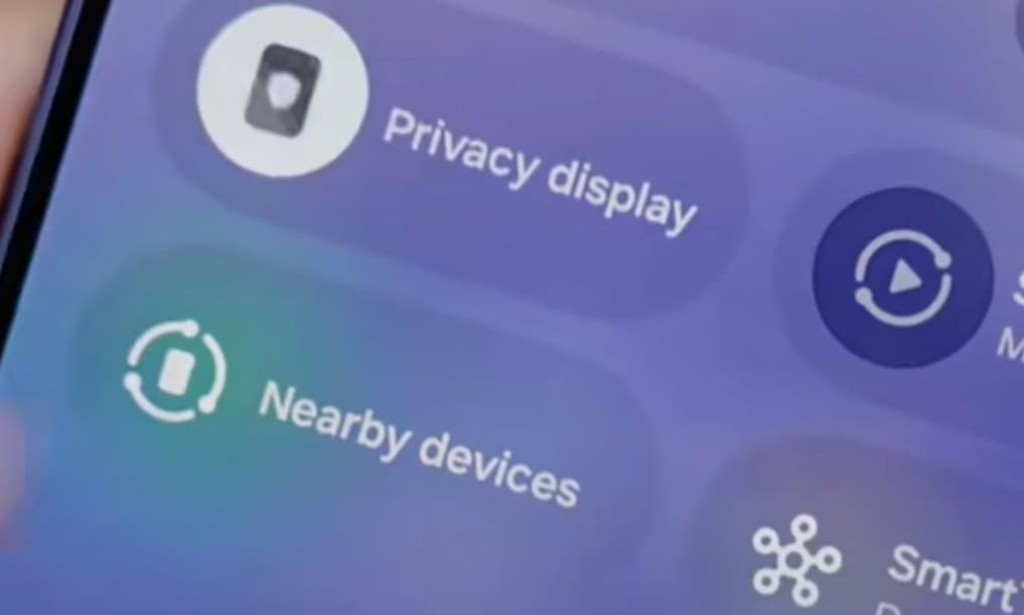
The fastest way to enable Privacy Display is to swipe down from the top of the screen to open the Quick Panel and tap the Privacy Display icon. It activates immediately.
For more detailed control, go to Settings, then Display, then Privacy Display, and toggle it on from there. Inside that same settings menu is where the more useful customization lives.
You can set Privacy Display to activate automatically under specific conditions rather than keeping it always on. The available conditions include triggering it when entering a PIN or password so your passcode is always shielded even if you forget to turn the feature on manually. You can also configure it to activate for specific apps individually. A banking app, a messaging app, or a work email app can each be set to trigger Privacy Display automatically whenever that app is open, while other apps continue in standard mode.
This per-app control is one of the most practically useful aspects of the feature. You do not have to remember to enable privacy before opening your bank app. The phone does it for you.
Who It Is For and Where It Actually Helps
The obvious use case is public transport subways, buses, trains, waiting rooms. Any situation where your phone screen is in a crowded space and you are looking at something you would rather keep to yourself. Passwords, messages, financial information, medical apps, personal photos anything that lives on your phone that you would not want a stranger to read over your shoulder.
It is also useful in offices and open-plan workspaces where screens are visible to colleagues, in cafes, in airports, and anywhere else you use your phone in a semi-public setting. The fact that it can be set to trigger automatically for specific apps means it protects your most sensitive content without requiring any deliberate action on your part once configured.
Is There a Trade-Off
There is a minor one. When Privacy Display is active, the display appears slightly dimmer to people viewing from the side which is the intended effect. For the person using the phone, Samsung maintains that brightness, color accuracy, and image quality are not noticeably affected. Independent testing has confirmed that the quality reduction for the primary viewer is minimal and acceptable in normal conditions.
The feature also turns half the pixels off in standard Privacy mode, which means some luminance is redistributed. In Maximum Privacy mode, some pixels are reactivated in a different configuration to create an even stronger privacy effect while managing the brightness balance.
Available on Other Galaxy Phones ?
Privacy Display is currently exclusive to the Galaxy S26 Ultra. It requires the specific Flex Magic Pixel hardware in the display panel, which is not present in the Galaxy S26 or Galaxy S26 Plus. Samsung may expand it to future models or other Ultra devices in coming years, but for now it is a genuine hardware differentiator that only exists on the Ultra.
Apple does not have an equivalent system-level privacy viewing feature on any iPhone. iPhone users who want side-angle protection still rely on physical privacy screen protectors, which carry the quality trade-offs described above.

You must be logged in to post a comment.