
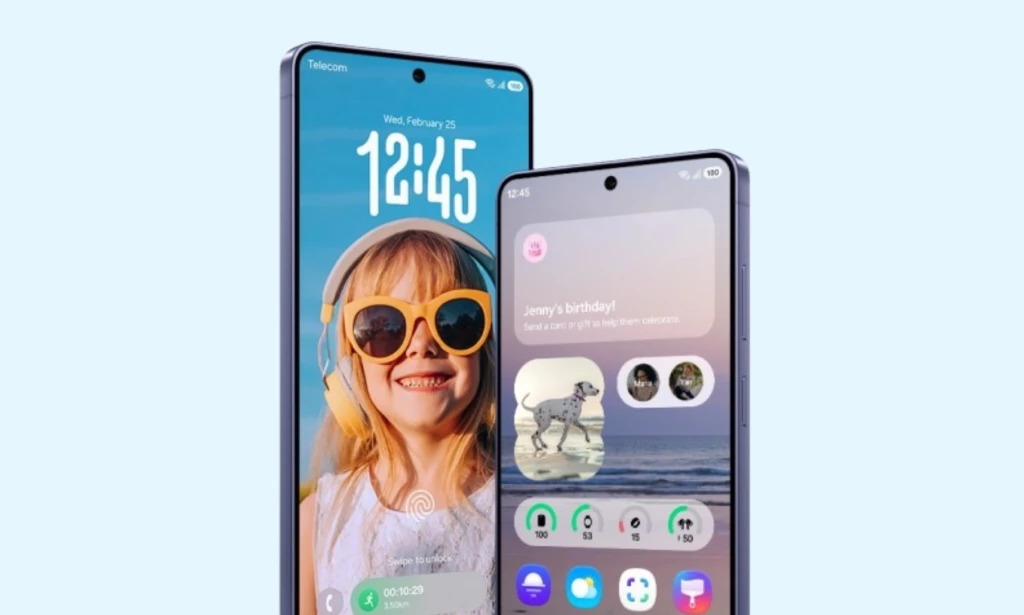
Four companies. Four completely different answers to the same question, what should Android look like and feel like for the person holding the phone?
Samsung's One UI, Xiaomi's HyperOS, OPPO's ColorOS, and Google's own Pixel UI all run on the same Android foundation. But spend time with each of them and the differences are not superficial. Each skin reflects a distinct philosophy about what matters most and those differences show up in ways that affect real daily use.
This comparison covers what each interface actually does differently across the areas that matter: design approach, customization, productivity tools, security, and long term software support.
Design Philosophy How Each UI Thinks About the User
One UI was built around a single practical observation: phones had gotten too big to use comfortably with one hand, and nobody was doing anything about it. Samsung's answer was to restructure the entire interface so that interactive elements buttons, menus, toggles, confirmation dialogs sit in the lower half of the screen within natural thumb reach. The upper half became a content viewing area. This principle runs through every part of One UI, from the Settings app to the camera interface to the notification shade.
HyperOS takes a different approach entirely. Xiaomi's primary design goal with HyperOS, was ecosystem cohesion building an interface that feels consistent whether you are on a phone, tablet, smart TV, or Xiaomi IoT device. The visual language is clean and relatively minimal compared to previous MIUI releases, with smooth animations and a lighter system footprint.
ColorOS from OPPO has the most visually polished interface of the four. Transitions are fluid, icon design is refined, and the overall aesthetic is closer to a designed product than a functional tool. ColorOS consistently receives praise for how smooth it feels during routine navigation.
Pixel UI is the most restrained. Google's philosophy is to present Android as cleanly as possible, with minimal visual additions, maximum system responsiveness, and direct access to Google's own services. It is deliberately unadorned.
One UI and ColorOS sit at opposite ends of the visual complexity spectrum. HyperOS and Pixel UI occupy different points in the middle, each with distinct priorities driving their restraint.
Customization Good Lock vs What Everyone Else Offers
This is where the gap between One UI and every competitor is most visible.
One UI has Good Lock modular customization platform that Samsung has maintained and expanded since 2017. Good Lock is a library of individual modules, each targeting a specific part of the interface. QuickStar lets users completely rebuild the Quick Panel, resizing toggles and adding third-party app controls. Home Up unlocks freely resizable home screen folders. NiceLock provides lock screen clock styles and widgets beyond anything in the standard settings. Camera Assistant gives granular control over camera behavior including Focus Peaking and OIS toggle. Every module is built and maintained by Samsung, updates alongside One UI, and targets actual system layers rather than applying surface level visual themes.
HyperOS has a theming engine and some cross device customization tools, but nothing comparable to Good Lock's module depth. Xiaomi's customization options work best when you have multiple Xiaomi devices to connect together.
ColorOS offers a reasonably capable theming system with wallpaper, icon, and color customization. OPPO's Omoji and some animation options go beyond stock Android, but ColorOS lacks any equivalent to Good Lock's system layer access.
Pixel UI is the most minimal of the four on customization. Google offers Material You dynamic theming, which pulls colors from your wallpaper and applies them system wide. Beyond that, Pixel UI intentionally limits customization to keep the experience clean.
If customization depth matters to you, One UI is not close to its competitors. Good Lock allows changes that other manufacturers simply do not expose to users.
Productivity Tools Samsung DeX Has No Real Competitor
One UI includes Samsung DeX the ability to connect a Galaxy phone to an external monitor via USB-C or wirelessly, and transform it into a genuine desktop computing environment. Not a scaled up mobile interface. Real desktop with a taskbar, resizable and movable windows, right-click functionality, drag and drop file management, and full mouse and keyboard support. People use Galaxy phones with DeX as their primary home computing setup, replacing laptops and Chromebooks entirely.
HyperOS supports external displays and has a PC Connect feature for linking a Xiaomi phone to Windows PC. It does not deliver standalone desktop computing environment. The external display support mirrors or extends the phone interface without providing a dedicated desktop-class experience.
ColorOS supports wireless display casting and has a PC Connect-style feature for OPPO devices. Again, it stops short of a genuine desktop environment with independent window management.
Pixel UI supports external displays through standard Android capabilities. Google has been developing better desktop windowing features in Android 16, but Pixel phones do not yet have a finished desktop mode equivalent to DeX.
Samsung DeX is the clearest example of One UI doing something that no other Android skin currently does at the same level. For anyone who wants one device that handles both mobile and desktop computing without compromise, this is a meaningful advantage.
Security Knox vs Standard Android Security
One UI is built on Samsung Knox a multi layer security architecture that begins inside the chipset hardware itself. Knox creates a hardware backed trusted execution environment completely separated from the main Android OS. Even if malware gains access to the Android layer, the most sensitive data remains in a hardware isolated zone that the Android OS cannot directly reach. Secure Folder sits on top of this an encrypted partition where apps, files, and media are stored separately and require independent authentication to access. Knox holds certifications used in enterprise environments and by government agencies in multiple countries.
HyperOS uses standard Android security with Xiaomi's additional layers. Xiaomi has a second-space feature similar to Secure Folder and standard chip-level security. It does not have a security architecture certified at Knox's level for enterprise use.
ColorOS includes a private safe and privacy features beyond stock Android, but OPPO's security infrastructure does not reach Knox level hardware certification depth.
Pixel UI benefits from Google's own security infrastructure, including Google Play Protect, the Titan M2 security chip in Pixel phones, and guaranteed monthly security patches delivered directly from Google without waiting for a manufacturer. Pixel UI's security model is excellent, particularly for direct from Google patch delivery speed.
For consumer use, all four interfaces are secure. For enterprise deployment, government use, or anyone with serious data security requirements, Knox's hardware architecture and certification depth place One UI in a different category.
Software Updates Seven Years vs Competition
One UI starting with the Galaxy S24 series in January 2024, committed to seven years of Android OS updates and security patches for flagship devices. The Galaxy S24, S24+, S24 Ultra, S25, S25+, S25 Ultra, Z Fold6, Z Flip6, Z Fold7, Z Flip7, and Galaxy Tab S10 series all fall under this policy. Galaxy A series flagships like the A57, A56, and A36 receive six years. This followed a steady progression: two OS updates before 2020, three with the Galaxy S20, four with the Galaxy S21, and seven starting with the Galaxy S24.
HyperOS currently offers four years of Android OS updates and five years of security patches for Xiaomi's flagship lineup, including the Xiaomi 15 series. That is a meaningful commitment but still three years shorter than Samsung's flagship policy.
ColorOS offers four years of OS updates and five years of security patches for OPPO's Find X series flagships. Similar to Xiaomi's commitment and similarly behind Samsung's seven-year window.
Pixel UI matches Samsung at seven years of OS updates and security patches, starting with the Pixel 8 series in 2023. Google and Samsung are currently the only two Android manufacturers offering 7 year update support, and they got there at roughly the same time.
On update longevity, Samsung and Google are level. Both commit to seven years on their respective flagship devices. Xiaomi and OPPO lag by three years on their current flagship commitments.
Automation Bixby Routines vs What Competitors Offer
One UI includes Bixby Routines native automation system, built directly into the Samsung Settings menu. Routines supports dozens of trigger conditions: time, location, connected device, charging state, app activity, battery level, Wi-Fi network, and more. The resulting actions are equally broad. The depth of Routines rivals third-party tools like Tasker or MacroDroid that typically require significant setup to use effectively.
HyperOS added automation features to its platform, but the trigger and action options are considerably more limited compared to Bixby Routines. Users familiar with both describe the functional gap as substantial.
ColorOS has an automation feature but with a narrower range of supported triggers and resulting actions than Bixby Routines offers.
Pixel UI relies on Android's built-in automation capabilities and Google Assistant routines. Google Assistant routines handle basic time-based and location-based automation but do not reach the system level depth of Bixby Routines for device behavior management.
Where Each Skin Wins
After comparing these four interfaces across design, customization, productivity, security, automation, and update support, each one has a clear use case it serves best.
One UI is the strongest choice for users who want maximum customization depth through Good Lock, a genuine desktop computing environment through DeX, enterprise-grade security through Knox, native automation through Bixby Routines, and seven years of software support. Its trade-offs are real: pre-installed Samsung apps duplicate Google apps already on the device, the feature volume is genuinely overwhelming for new users, and major updates have occasionally arrived later than expected.
HyperOS serves users who own multiple Xiaomi ecosystem devices and want them to work together cohesively. For single-device users, it is a capable and increasingly refined interface that has shed much of the complexity that made MIUI polarizing.
ColorOS is the right choice for users who prioritize a visually smooth and polished daily experience. OPPO's interface looks and moves better than its competitors in everyday navigation. The trade off is less depth on customization and productivity tools.
Pixel UI is the best option for users who want the closest experience to Android as Google designed it, the fastest security updates delivered directly without manufacturer delay, strong on-device AI features, and a genuinely bloat-free interface. The trade off is less customization depth and no feature equivalent to Good Lock or DeX.
None of these is objectively better for every user. The one that fits best depends on what you actually use your phone for every day.

You must be logged in to post a comment.